Suica Card Guide 2026: Set Up on iPhone or Android, Buy a Welcome Suica Card and Top Up
How to set up Suica on iPhone (checked October 2026): Apple Wallet vs Welcome Suica Mobile, Android status, Welcome Suica card validity and how to top up.
Quick answer
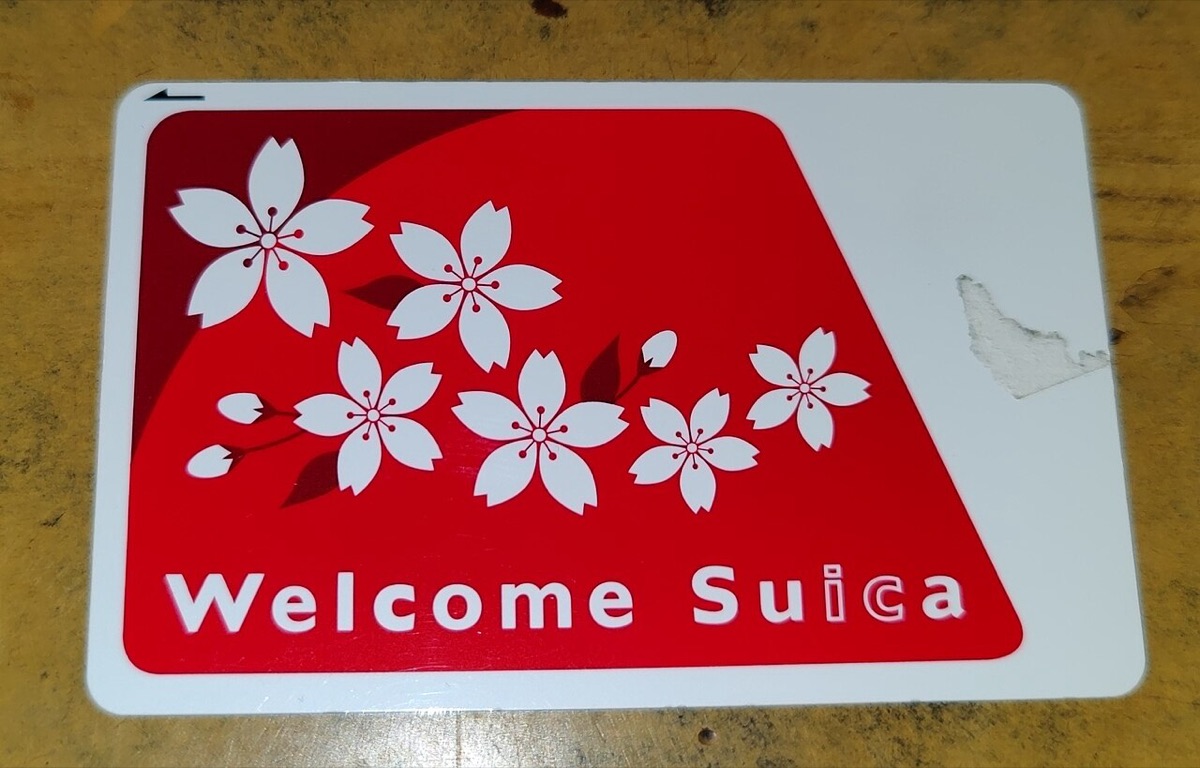
An iPhone 8 or later bought in Taiwan can add Suica directly in Apple Wallet, or use JR East's Welcome Suica Mobile app (no deposit, valid 180 days, non-refundable). Android does not currently support Welcome Suica Mobile; overseas-model Galaxy phones are expected only in the first half of fiscal 2027. Buy a physical card instead: Welcome Suica has no deposit and is valid 28 days; a regular Suica has a 500 yen deposit.
"Can I put Suica on my iPhone?" Yes, and it is the easiest way to travel in Japan: on an iPhone 8 or later bought in Taiwan, you can add Suica directly in Apple Wallet, or download JR East's Welcome Suica Mobile app, and then tap in at train gates, ride buses and pay at convenience stores. Android users and families with children have a harder time. Based on official information confirmed in October 2026, this guide covers how to choose and top up in three cases (iPhone, Android, physical card) and which money you cannot get back.
What Is Suica and Which Types Can You Choose?
The short answer: for a short trip, you only need to pick one of three: "Suica in Apple Wallet," "Welcome Suica Mobile" or "a physical Welcome Suica card."
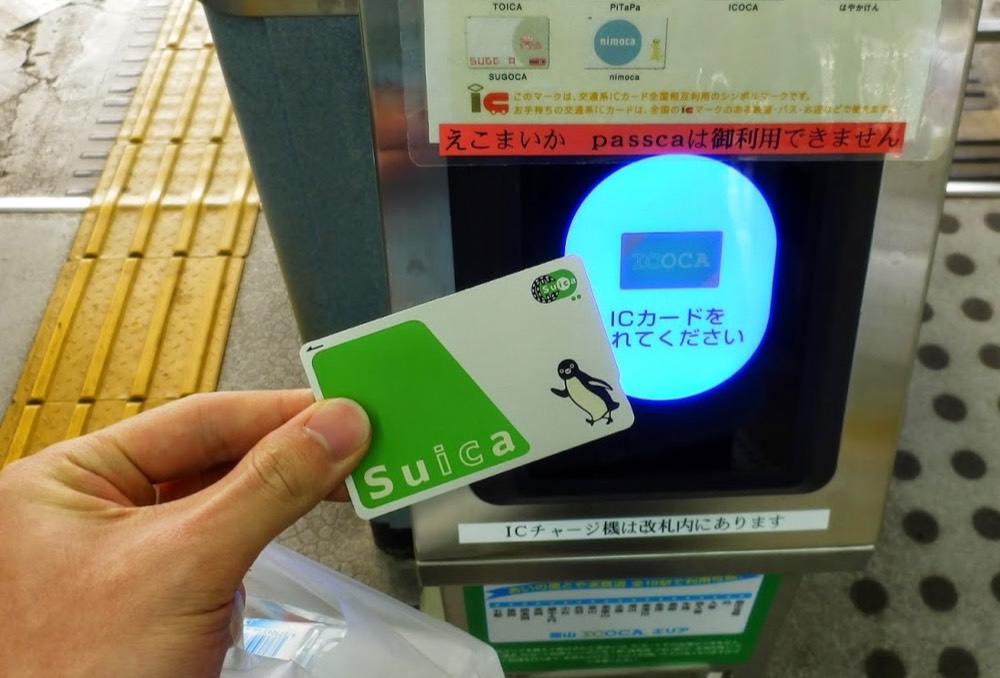
Suica is a transit IC card issued by JR East, similar to Taiwan's EasyCard. You can use it on trains, subways and buses, and to pay at convenience stores, vending machines and some restaurants. The major transit IC cards across Japan are mostly interchangeable, so a Suica from Tokyo also works in Osaka, Kyoto and Fukuoka (with a few local-line exceptions).
| Type | Best for | Deposit | Validity | Balance refundable? |
|---|---|---|---|---|
| Suica in Apple Wallet | iPhone 8 or later, long-term use | None | No short expiry | After removal the balance stays on your Apple Account and can be transferred back |
| Welcome Suica Mobile (app) | iPhone, short-term visitors | No deposit, no issuing fee | 180 days after issue | Non-refundable |
| Welcome Suica (physical card) | Android users, children, people who do not want to use a phone | No deposit | 28 days | Non-refundable |
| Regular Suica (physical card) | Frequent visitors who want the deposit back | 500 yen | Long-term | Refundable, minus a handling fee |
According to the Japan National Tourism Organization (JNTO), most IC cards require a 500 yen deposit at purchase, while Welcome Suica and TOURIST PASMO are no-deposit versions designed for visitors to Japan[6].
How to Set Up Suica on iPhone: Adding It in Apple Wallet
The short answer: with an iPhone 8 or later, the latest iOS and two-factor authentication on your Apple Account, you can add Suica directly in the Wallet app. You do not need a Japanese-model iPhone.
According to Apple's official support page[2], the requirements and steps for adding Suica are:
- Make sure two-factor authentication is on for your Apple Account, and that your iPhone is an iPhone 8 or later updated to the latest iOS (an Apple Watch needs to be Series 3 or later).
- Add a usable credit card to Wallet first (as the payment method for top-ups).
- Open the Wallet app, tap "+" at the top right, then "Transit Card," then choose "Suica."
- Choose "Add New Card," enter the amount to load and confirm payment.
- The first transit card you add automatically turns on "Express Transit" mode, so afterward you do not need to unlock or use Face ID; just hold your iPhone near the gate.
If you already have a physical Suica, you can also choose "Transfer Existing Card," enter the last four digits of the card number (and a birth date for a registered card), place the card on a table with the top of your iPhone touching it, and wait for the screen to show it is done. After the transfer the physical card can no longer be used, and the balance moves to your phone[2].
Common Reasons Suica Top-Ups with Apple Pay Fail
The short answer: a declined credit card is the most common problem, and switching cards or topping up with cash usually fixes it.
When topping up Suica in Apple Wallet, success rates for Taiwan-issued Visa cards are reported inconsistently, while reports for Mastercard and JCB are relatively steadier. Before you leave, try a small top-up in Taiwan as a test; if it fails, once in Japan you can top up with cash at a station ticket machine or a convenience store register by placing your iPhone on the reader.
What Is Welcome Suica Mobile and How Does It Differ from Wallet Suica?
The short answer: Welcome Suica Mobile is an iPhone app made by JR East for visitors to Japan. It has no deposit and is valid for 180 days, and you can also book JR East shinkansen tickets, but the balance is non-refundable.
According to JR East's official description on the App Store[1], the key points of Welcome Suica Mobile are:
- System requirements: an iPhone on iOS 17.2 or later; an Apple Watch needs to be Series 3 or later.
- No deposit and no issuing fee: you issue a card by setting a passphrase, with no member registration.
- Validity: 180 days after issue; after it expires you can reissue in the same app.
- No refunds: use up the remaining balance at airports, stations and shops.
- Top-up: only through Apple Pay, using a credit card already linked.
- Extra features: you can reserve reserved seats on JR East shinkansen and limited express trains, ride some shinkansen unreserved seats without a paper ticket, and from March 2026 buy Green Car tickets for conventional lines.
Compared with Suica added directly in Wallet, Welcome Suica Mobile adds English-language ticket booking and sightseeing information, which suits first-time visitors to Tokyo and the Tohoku region, while Wallet Suica has no 180-day limit and is more convenient for frequent visitors. Pick one; you do not need both.
Can Android Use Suica? Support Status in 2026
The short answer: as of October 2026, most Android phones bought in Taiwan cannot use mobile Suica, so buy a physical card instead.
- Welcome Suica Mobile: currently iPhone only[1].
- Suica in Google Wallet: requires the Japanese-market built-in Osaifu-Keitai feature. Google's official help also states that using Suica on a Pixel Watch requires a device bought in Japan[7]. Pixel, Samsung and other models bought in Taiwan generally cannot add it.
- Future developments: JR East announced on April 21, 2026 a partnership with Samsung, and expects overseas-market Galaxy phones to be able to issue Welcome Suica Mobile in the first half of fiscal 2027 (roughly April to September 2027), topped up with Samsung Pay; supported models and sales regions have not been announced[3].
So for Android users traveling in winter 2026 through spring 2027, the most practical approach is still to buy a physical Welcome Suica card, or a regular Suica at a station in Japan.
Where to Buy a Physical Suica: Welcome Suica vs Regular Suica
The short answer: for a short trip, buy a no-deposit Welcome Suica; if you visit Japan often and want your deposit back, buy a regular Suica.
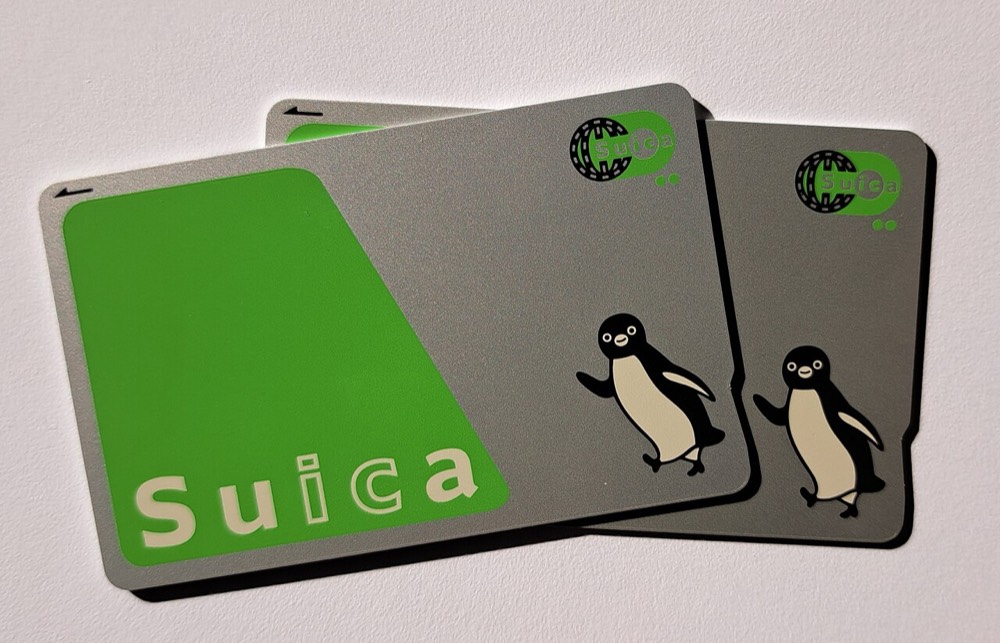
Physical Welcome Suica Card
Welcome Suica is a physical card made for visitors to Japan: no deposit, valid 28 days, and the balance is non-refundable[6]. It is mainly sold at ticket machines and service centers at JR East stations at Narita and Haneda airports, and at some major stations in Tokyo; for actual sales locations and available amounts, check the JR East website, ideally before you arrive in Japan.
One thing to watch: the date printed on the card is not the expiry date. At purchase you receive a "Reference Paper" that shows the real expiry date, so take a photo of it.
Regular Suica (Unregistered or Registered)
Because of a chip shortage, sales of regular Suica cards were suspended in June 2023, and sales of unregistered cards resumed on March 1, 2025[4]. You pay a 500 yen deposit when you buy. When you return the card, JR East deducts a 220 yen handling fee from the balance and refunds the 500 yen deposit; if the balance is less than 220 yen, only the deposit is refunded[5].
Which Type for Children?
IC cards with child fares require checking age: for Welcome Suica you enter the birth date yourself at the dedicated ticket machine, while a regular Suica child card must be registered and handled at a station window. JR East's official description of Welcome Suica Mobile does not mention child fares, so for families with children aged 6-11 we suggest using a physical card for the child, and confirming with station staff at purchase to be safe.
How to Top Up Suica: Three Ways
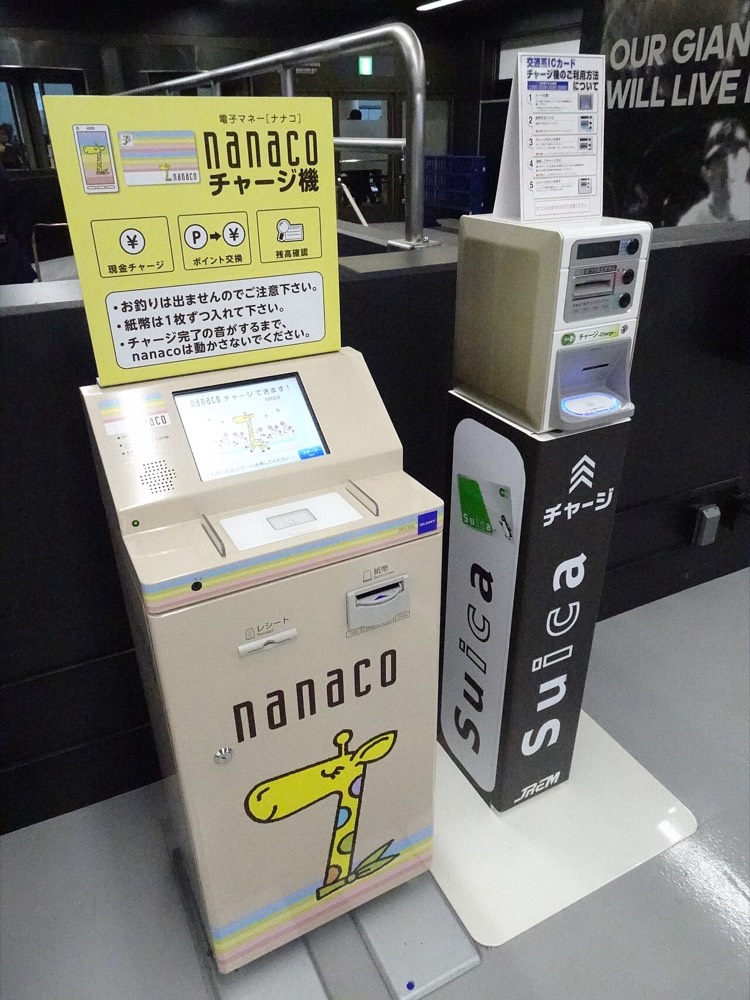
The short answer: on iPhone, Apple Pay is fastest; with a physical card, top up with cash at a station or convenience store.
| Top-up method | Physical card | iPhone Wallet Suica | Welcome Suica Mobile |
|---|---|---|---|
| Station ticket machine (cash) | Yes | Yes (put phone on reader) | Depends on the machine |
| Convenience store register (cash) | Yes | Yes | Yes |
| Apple Pay credit card | No | Yes | Yes (the only online method) |
The balance limit on a regular Suica is 20,000 yen, and you should not load too much at once, especially since Welcome Suica balances cannot be refunded. For 5 days of getting around Tokyo, loading 3,000-5,000 yen first and adding more if needed is the approach least likely to waste money. For a detailed comparison of Tokyo tickets, see our Tokyo transport guide.
Do I Need ICOCA for Osaka and Kyoto?
The short answer: no. Suica and JR West's ICOCA are interoperable, so Suica works in the Kansai area too.
ICOCA is an IC card issued by JR West, and it can also be added to Apple Wallet (it requires an iPhone 8 or later and iOS 16 or later, and only ICOCA issued by JR West is supported)[2]. If your trip is only in Kansai, ICOCA and Suica work the same; the only thing to note is where to return the card: a physical Suica is refunded at a JR East station, and ICOCA at a JR West station. For Kansai sightseeing tickets, pair it with the Osaka Amazing Pass or the day passes in the Kyoto transport guide.
If you plan to take the shinkansen between regions, Suica is only a supplementary tool; long-distance tickets are bought separately or covered by a rail pass, so read Is the JR Pass worth it? before deciding.
Common Mistakes and Pre-Trip Reminders
- Dead phone = dead card: Welcome Suica Mobile's official description says Suica cannot be used when the device is powered off; if it shuts down inside the gates, you must pay the fare for that section in cash[1]. Always carry a power bank.
- Loading too much onto Welcome Suica: After 28 or 180 days the balance goes to zero with no refund, so spend it at an airport shop on your last day.
- Forgetting to return a regular Suica: The 500 yen deposit is refunded at a JR East station window; not every station has one, so do not leave it until you are at the airport on the last day.
- Tapping through the gate too quickly: Hold the card or phone on the reader for about a second and walk once the gate lights up.
- Sort out eSIM and data first: Topping up with Apple Pay needs a connection, so set up your data before you leave with our Japan eSIM guide, so you can top up and ride as soon as you land.
How to arrange it most smoothly: iPhone users should add Suica to Wallet in Taiwan before departure and test a small top-up; Android users should buy a Welcome Suica at the airport station after arriving at Narita or Haneda. For other pre-trip preparation, see the Japan trip checklist, and for payment methods see paying in Japan.
FAQ
Can an iPhone bought in Taiwan use Suica?
Yes. Apple says that with an iPhone 8 or later, the latest iOS and two-factor authentication on your Apple Account, you can add Suica in the Wallet app. An iPhone bought in Taiwan does not need to be a Japanese model; you only need a usable credit card in Wallet to top up.
Can Android phones use Suica?
For most Android phones bought in Taiwan, not at the moment. Suica in Google Wallet requires the Japanese-market Osaifu-Keitai feature, and Welcome Suica Mobile exists only for iPhone. Samsung and JR East have announced that overseas-model Galaxy phones are expected to be supported in the first half of fiscal 2027; until then, buy a physical card.
Can I get a refund on unused Welcome Suica balance?
No. Both the physical Welcome Suica card and Welcome Suica Mobile have no deposit, but the balance is non-refundable and cannot be used after expiry. Spend it down in the last day or two at convenience stores, station vending machines or airport shops, and do not load too much at once.
What if topping up Suica with Apple Pay keeps failing?
A common cause is Taiwan-issued Visa cards being declined for Suica top-ups, though reports vary. Try a Mastercard or JCB, or top up with cash at a station ticket machine or a convenience store register by placing your iPhone on the reader.
How is Suica different from ICOCA? Do I need to buy one for Osaka?
Suica is issued by JR East and ICOCA by JR West. In the major transit IC card areas across Japan the two work interchangeably for trains and shopping, so you do not need a separate ICOCA for Osaka or Kyoto. The differences are mainly the issuer, where you can return the card and each one's regional discount tickets.
Sources
- Welcome Suica Mobile (App Store, JR East): App description: iOS 17.2 or later, no deposit, 180-day validity, non-refundable, top up with Apple Pay
- Apple Support: Add a transit card to Apple Wallet in Japan: Device requirements and steps to add or transfer Suica, PASMO and ICOCA
- Impress Watch: JR East and Samsung partner to support Welcome Suica Mobile on overseas Galaxy phones: Announced April 21, 2026; expected to start in the first half of fiscal 2027
- Tokyo Metro: Notice of the resumed sale of unregistered Suica and PASMO cards: Sale of unregistered cards resumed from March 1, 2025
- JR East: Suica refunds (harai-modoshi): 220 yen handling fee, 500 yen deposit
- Japan National Tourism Organization (JNTO): IC cards: Most IC cards have a 500 yen deposit; Welcome Suica and TOURIST PASMO have none
- Google Wallet Help: Use Suica on a smartwatch (Japan only): Suica requires a device bought in Japan
Fares, opening hours and event dates can change. Information checked on 2026.10.19; please confirm with official sources before you go.